General freight, from booking to billed
Enter jobs once, plan realistic runs, keep drivers and customers in the loop, and finish every day with delivered work that's ready to invoice — POD attached.
Reassuringly Significant, Always Evolving
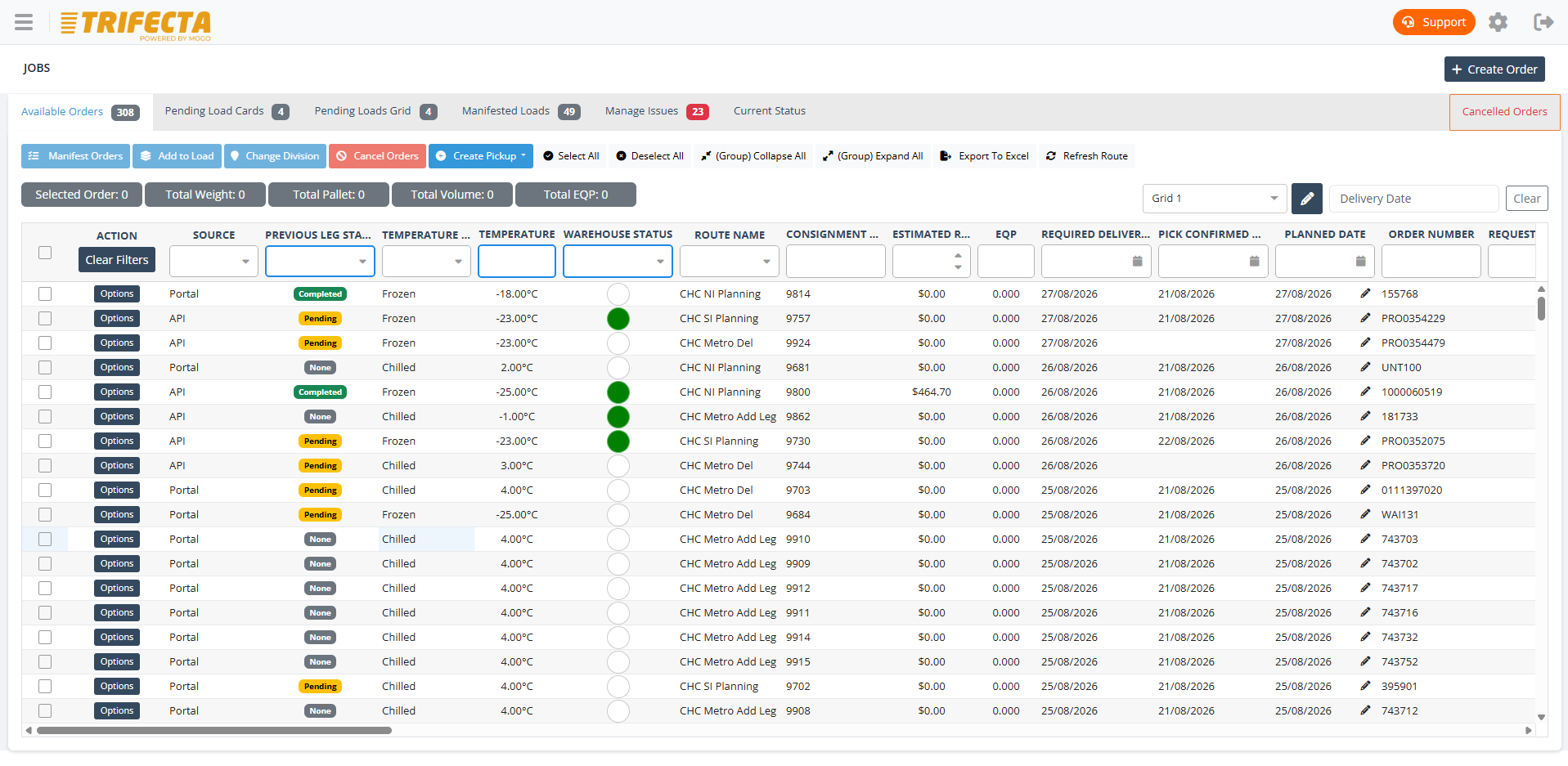
A general freight job in TRIFECTA
Every consignment follows the same connected path — so nothing is re-keyed and nothing is lost between systems.
- Job entry
- Planning
- Dispatch
- Driver execution
- POD
- Billing
Job entry
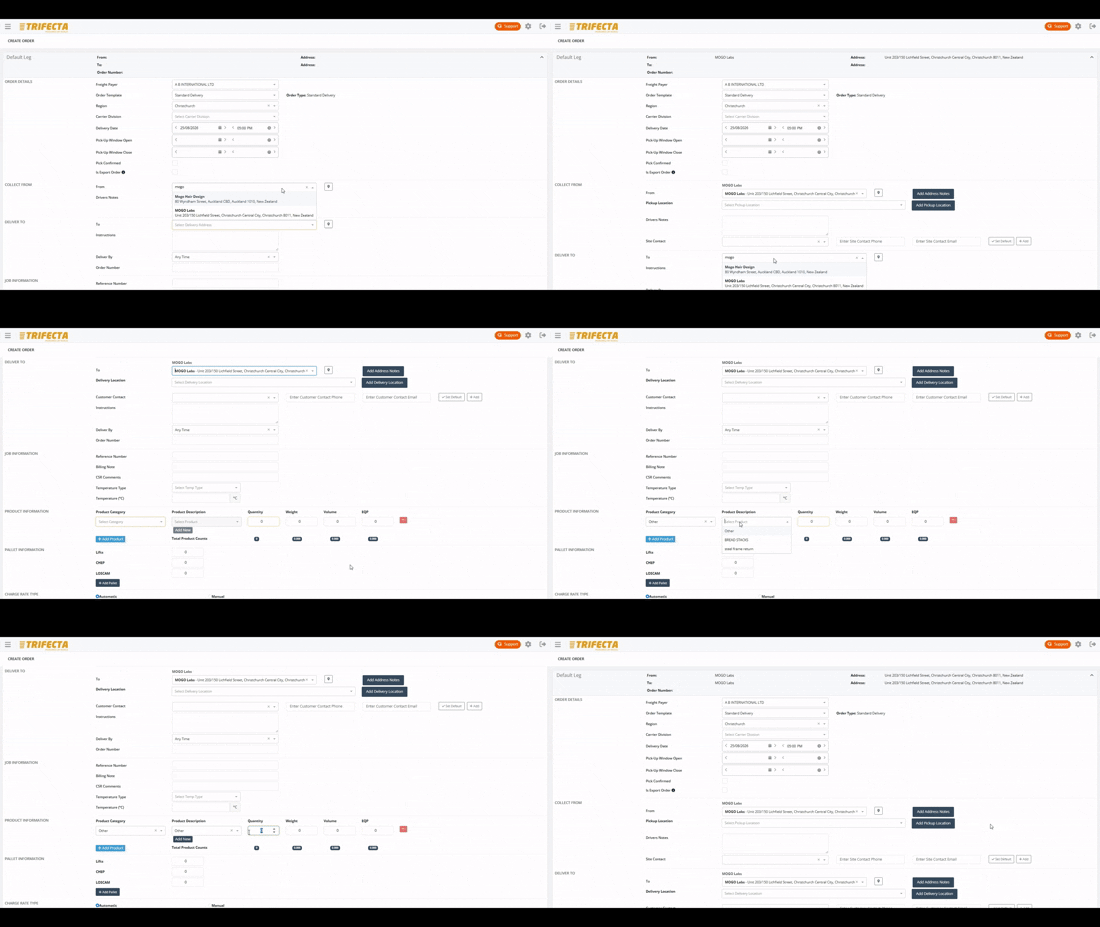
Capture jobs once, correctly
Bookings arrive from the customer portal, email, or your team's own entry — with consignment details, service levels, and rates attached from the start.
- Customer-specific defaults and product categories
- Recurring and templated jobs for regular work
- Rate card applied at entry, not at month end
Planning & scheduling
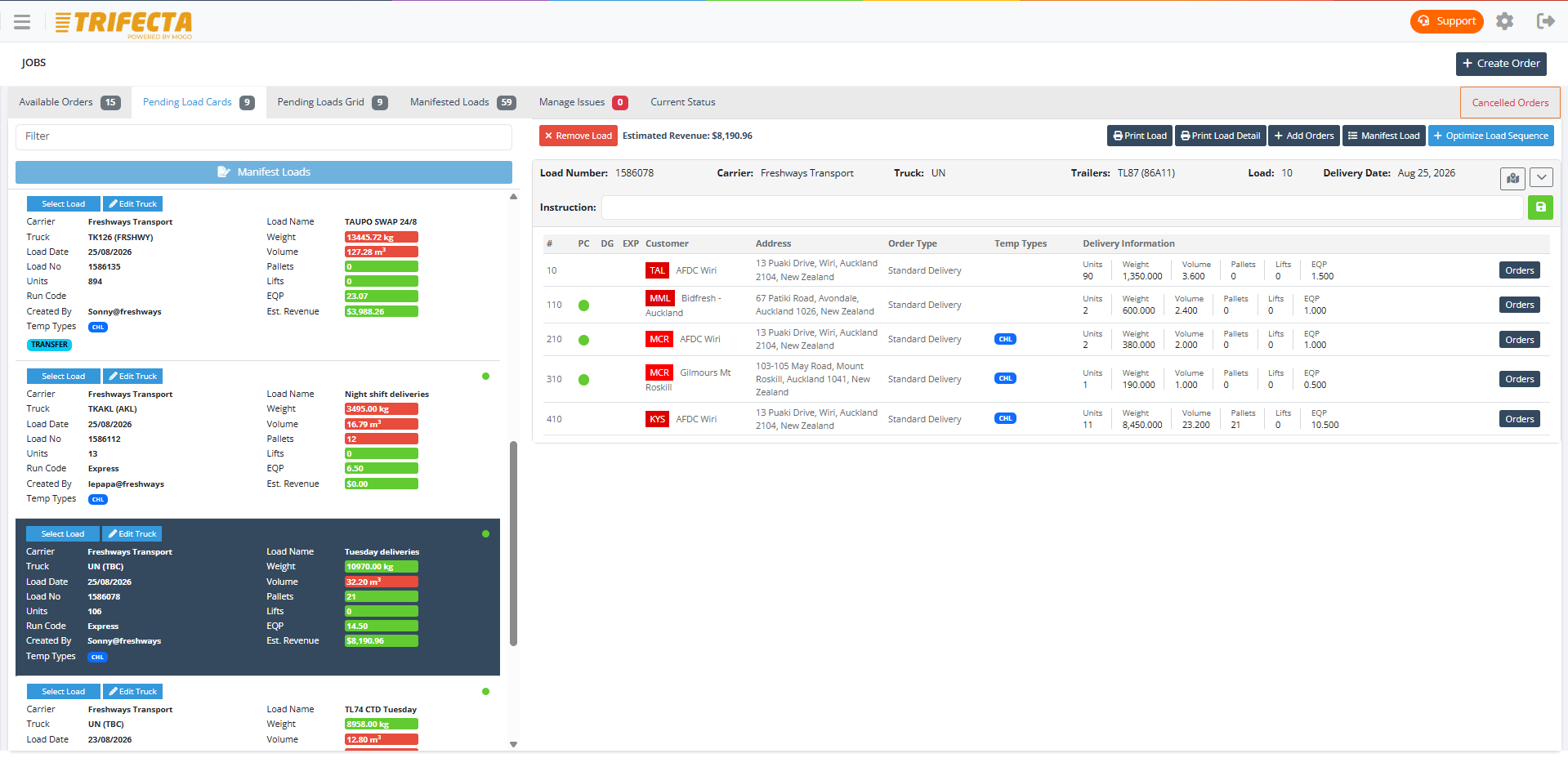
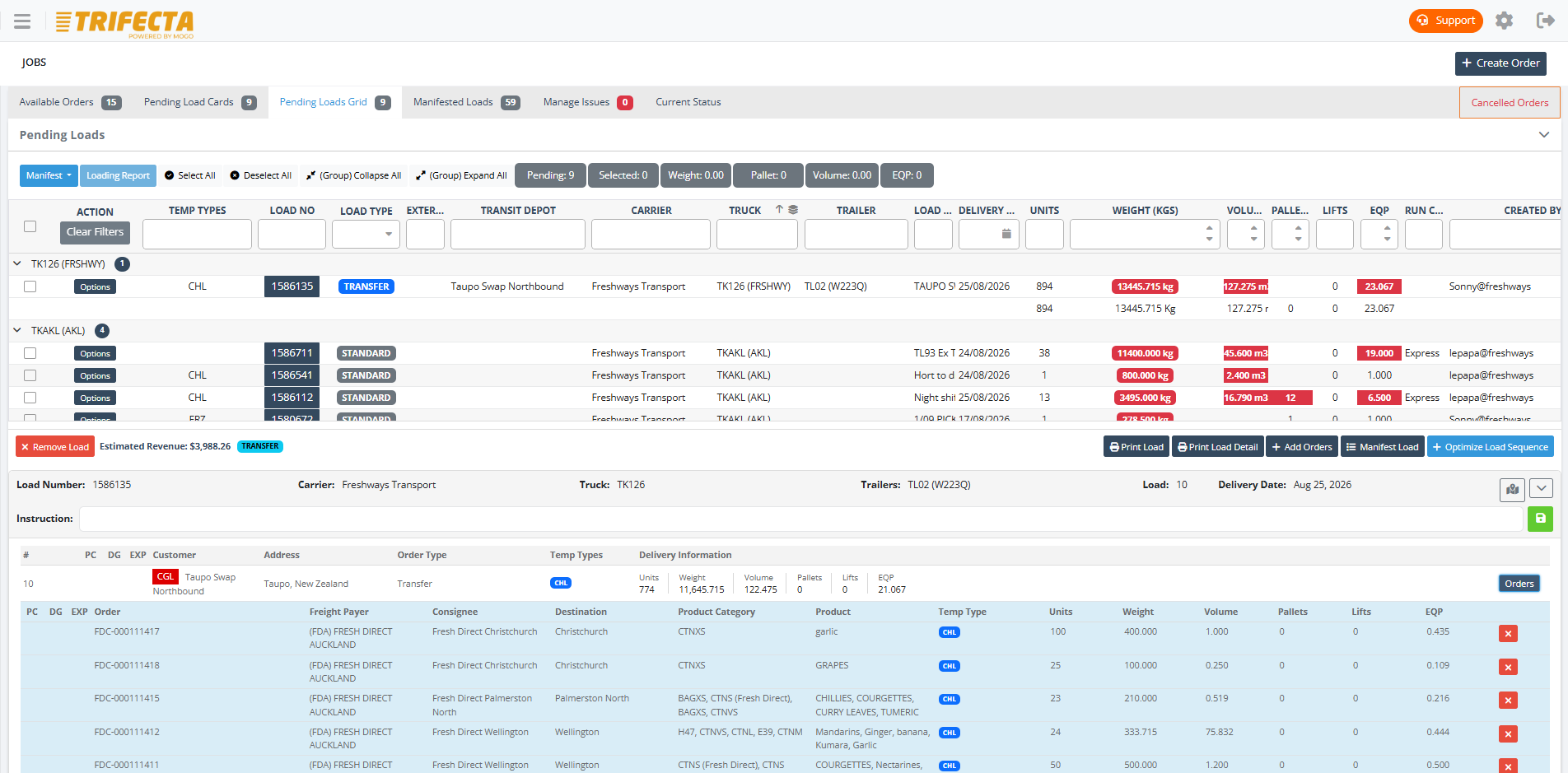
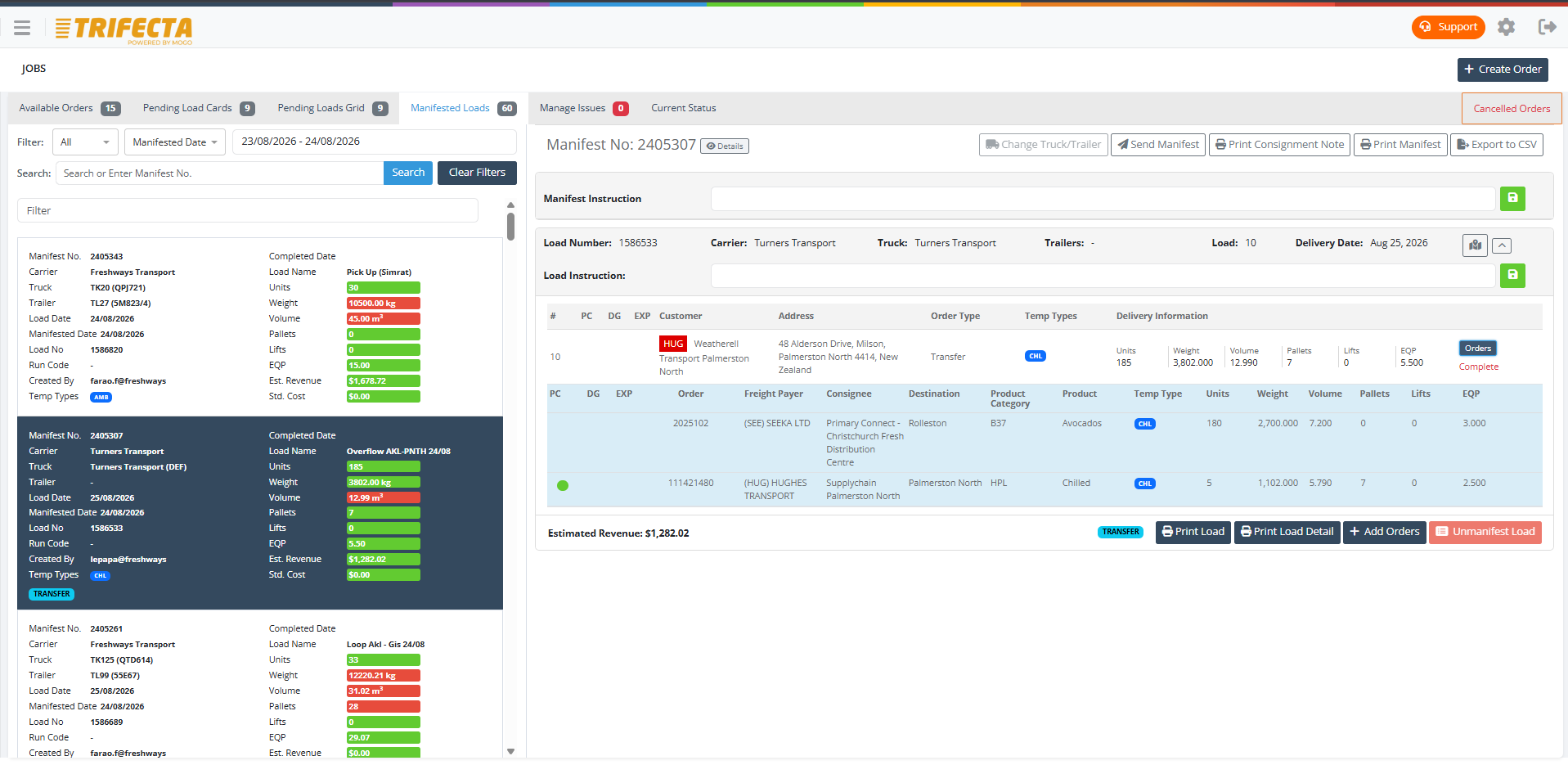
Plan multi-drop runs against real capacity
Build runs across your fleet with visibility of driver hours, truck capacity, and delivery windows. When the day changes, reallocate in seconds — not with a whiteboard rub-out.
- Multi-drop run building with delivery windows
- Fleet visibility across depots and regions
- Drag-and-drop reallocation when plans change
Driver execution
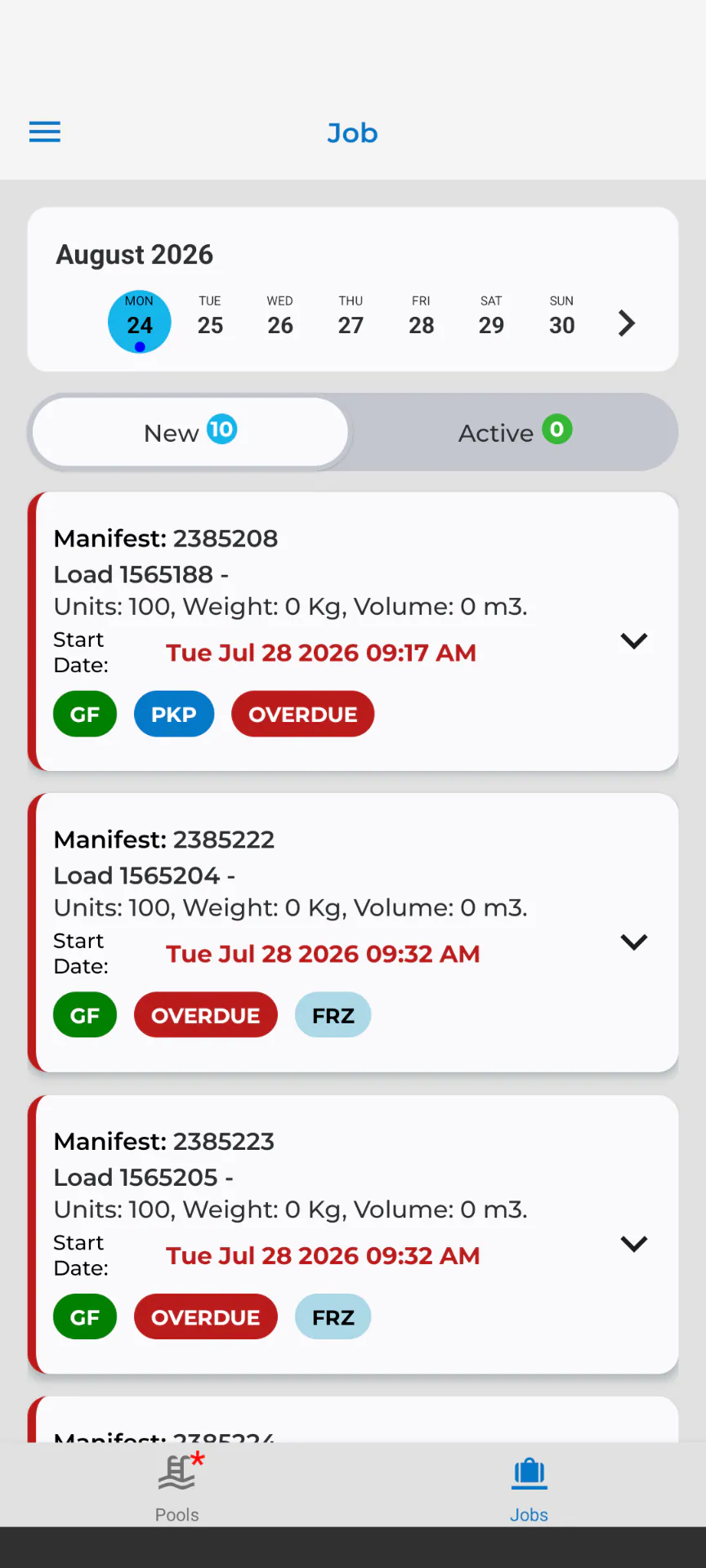
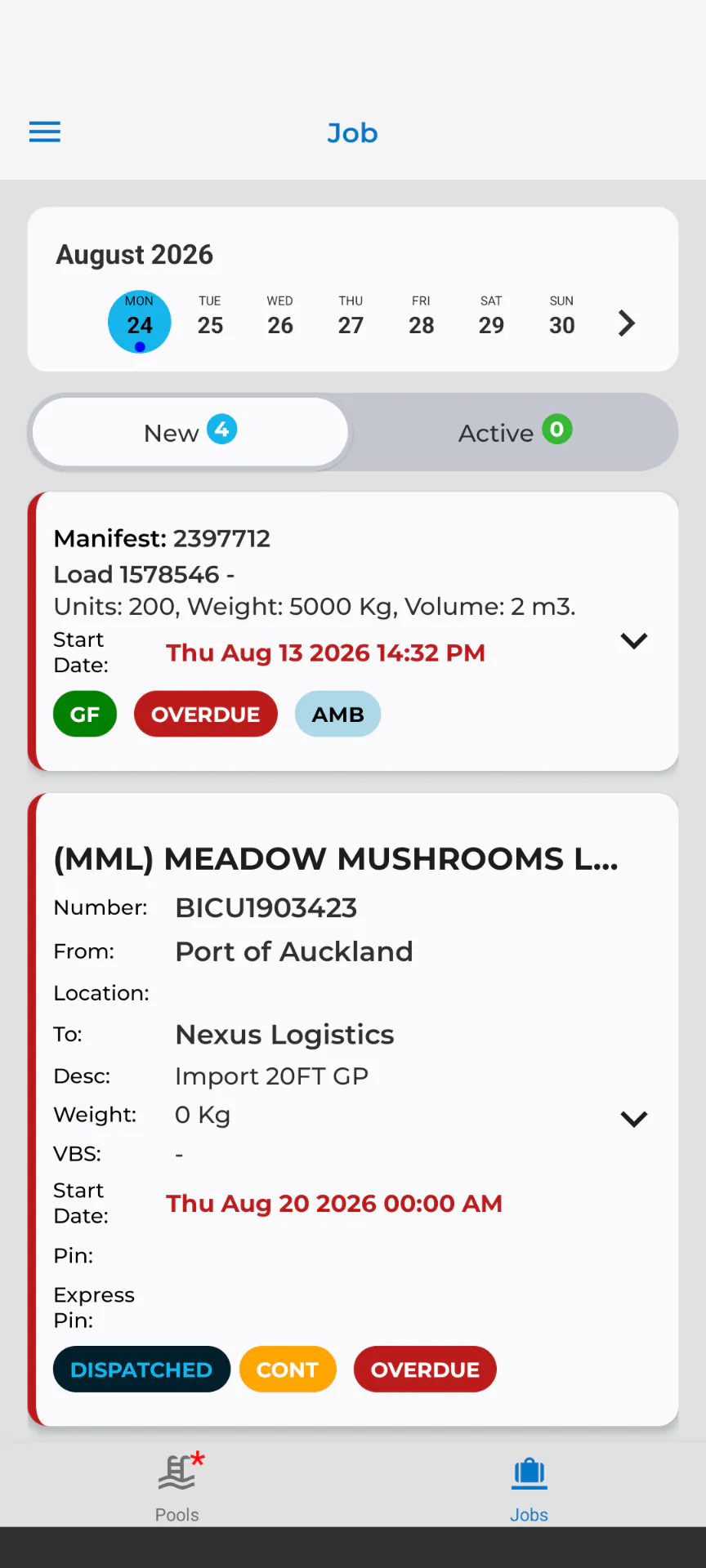
Drivers execute, statuses flow back
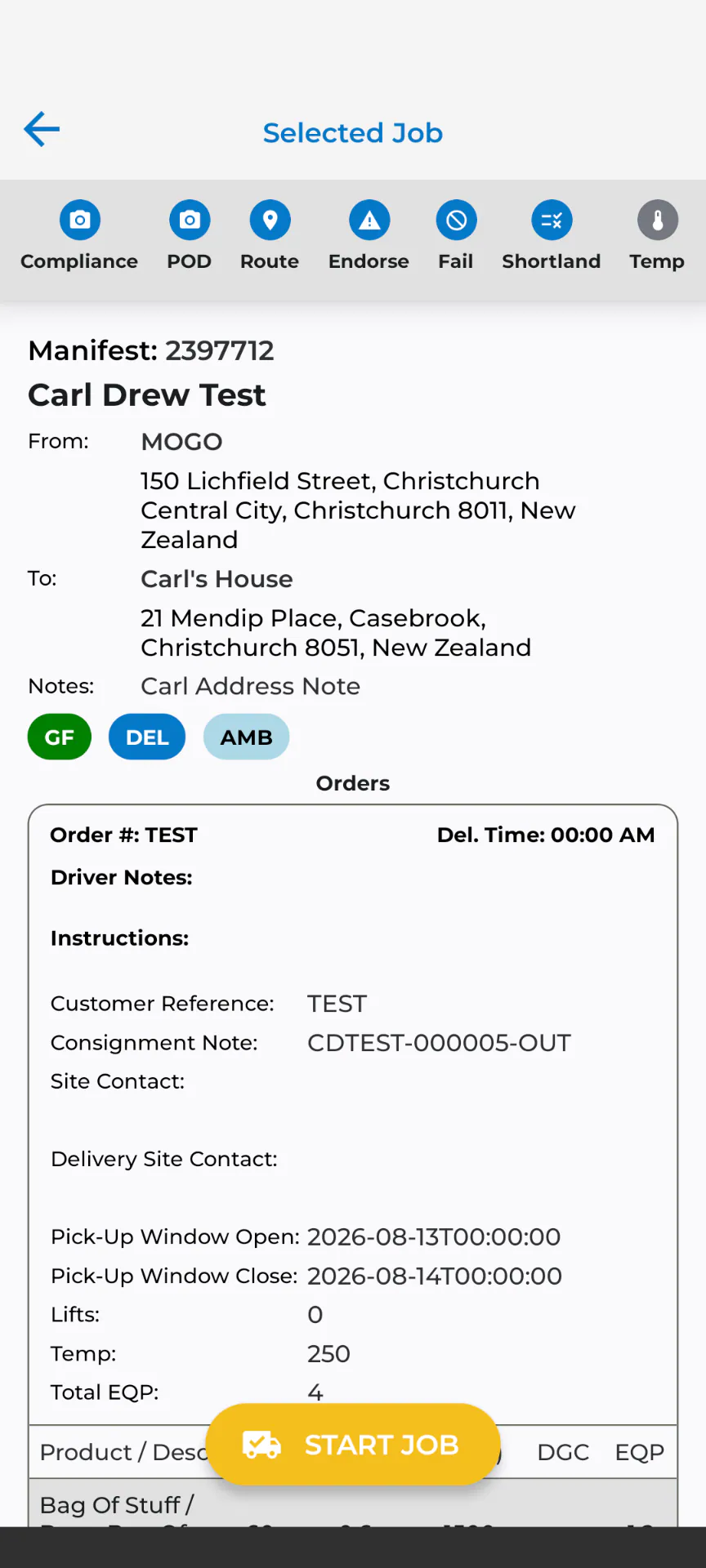
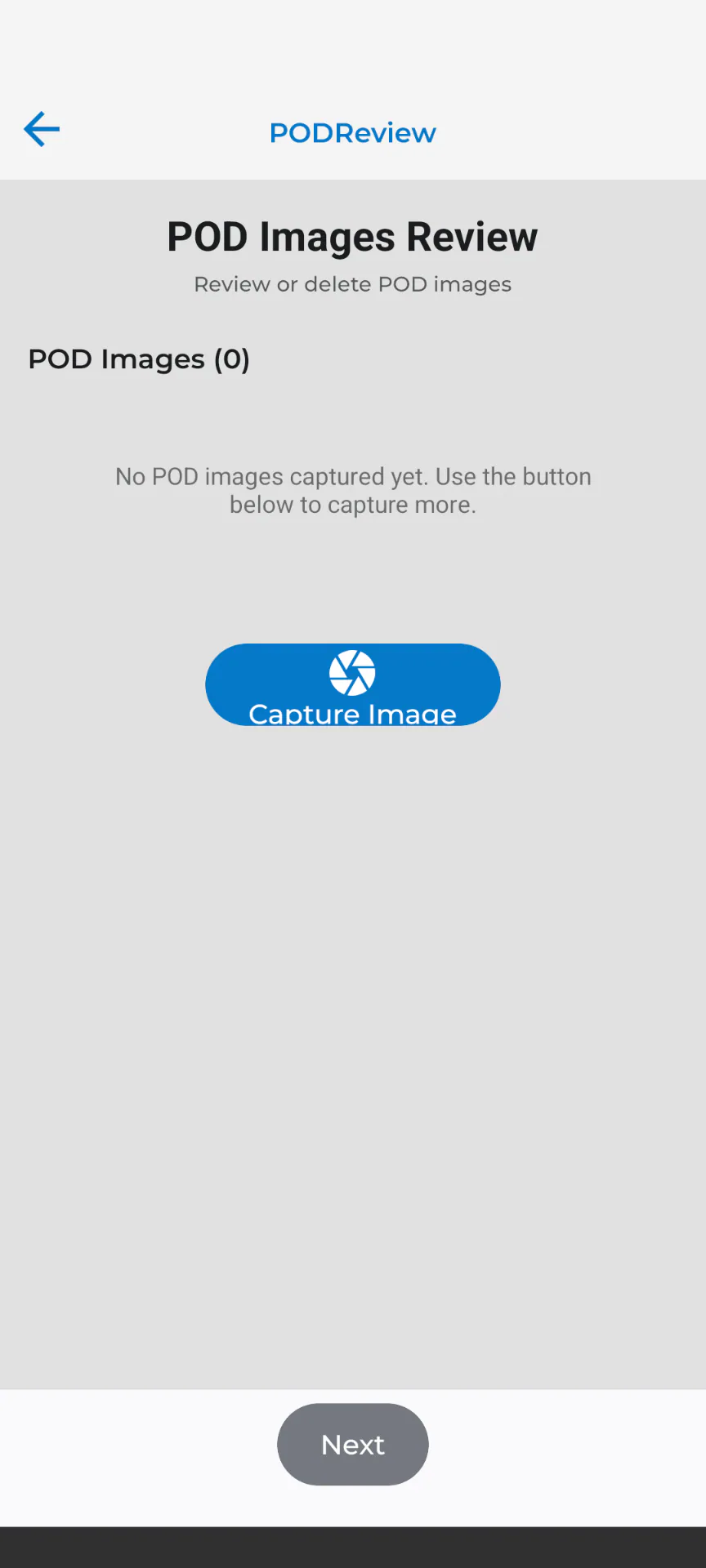
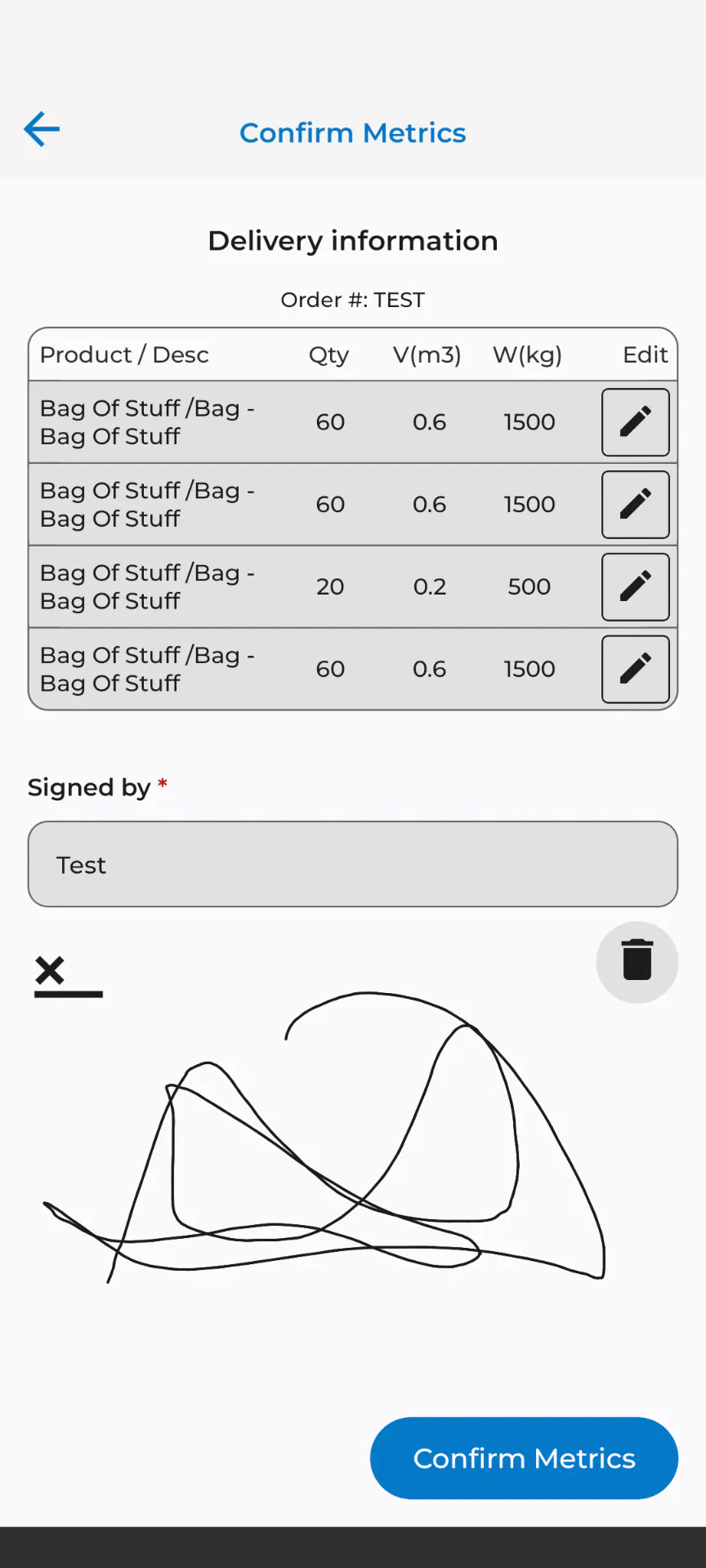
Drivers see their run, stop by stop, and every status update, photo, and signature lands back on the job in real time — no radio round-robin required.
- Stop-by-stop job lists on the driver's phone
- Photos, signatures, and notes captured at the door
- Exceptions flagged to dispatch immediately
Customer visibility
Customers watch their freight, not their phone
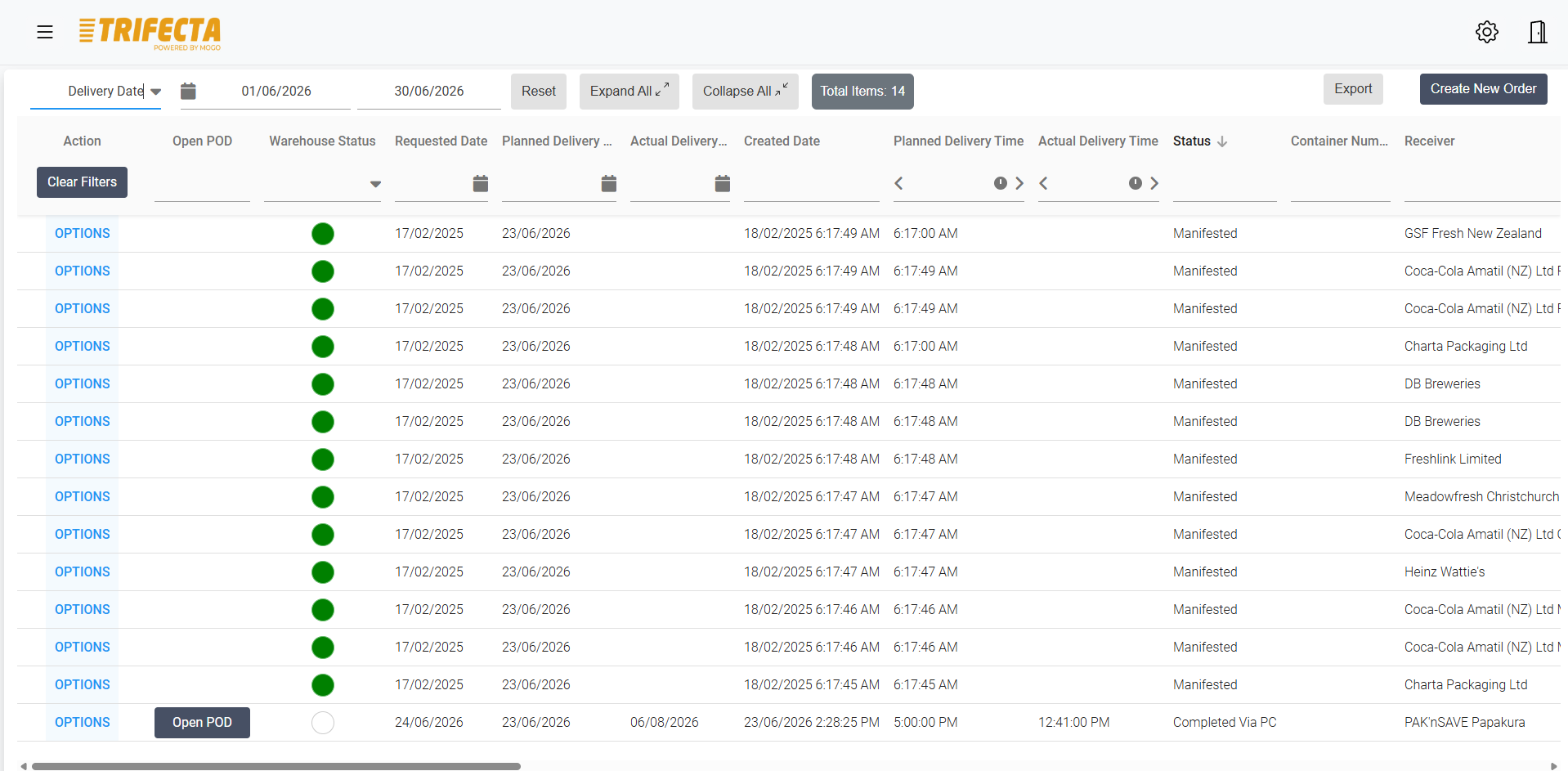
Live status and POD access in the customer portal means fewer where's-my-delivery calls — and proactive updates when something changes. Customers can also download PODs, print pallet labels, and access consignment notes directly from the portal.
Reporting
Know how every run performed
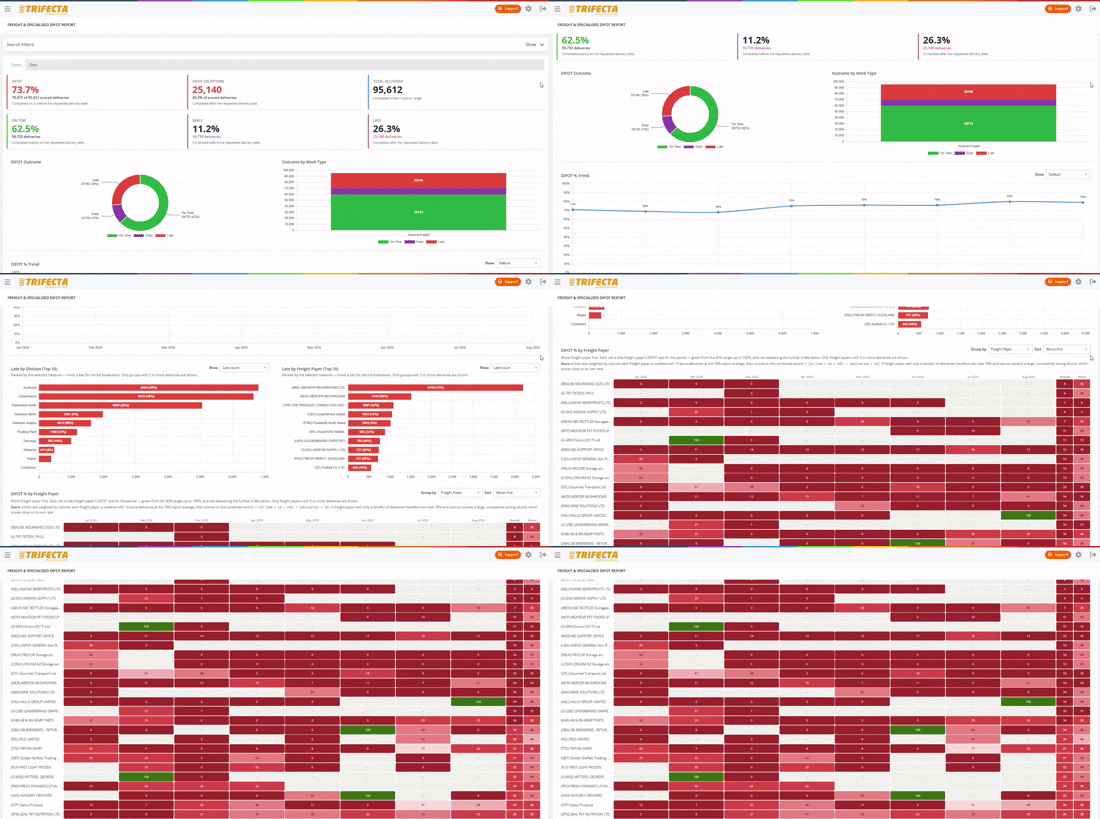
DIFOT, margin by customer and run, and delivery performance — filterable, exportable, and consistent week to week.
Common questions
Does TRIFECTA handle multi-drop runs?
Yes. Multi-drop is core to general freight in TRIFECTA — runs are planned stop by stop, drivers execute them in order, and each drop captures its own POD and billing lines.
Can customers book their own general freight jobs?
Yes. The customer portal lets your customers create bookings against their own product categories and rates, which land directly in your planning workspace.
How does POD get back to the customer?
Photos and signatures captured by the driver attach to the job automatically and are available to the customer through the portal — and on the invoice if you want them there.
Works together with
Driver Mobility
Give drivers a mobile job list with navigation, status updates, proof of delivery, photos, signatures and compliance checks connected to the office.
Learn moreBilling & Rating
Turn completed freight jobs into billable revenue with automatic rating, surcharges, subcontractor payment, invoice preparation and a full audit trail.
Learn moreSee general freight in TRIFECTA.
Walk through your own workflows with our team using realistic demo data.