
Completed work, ready to bill
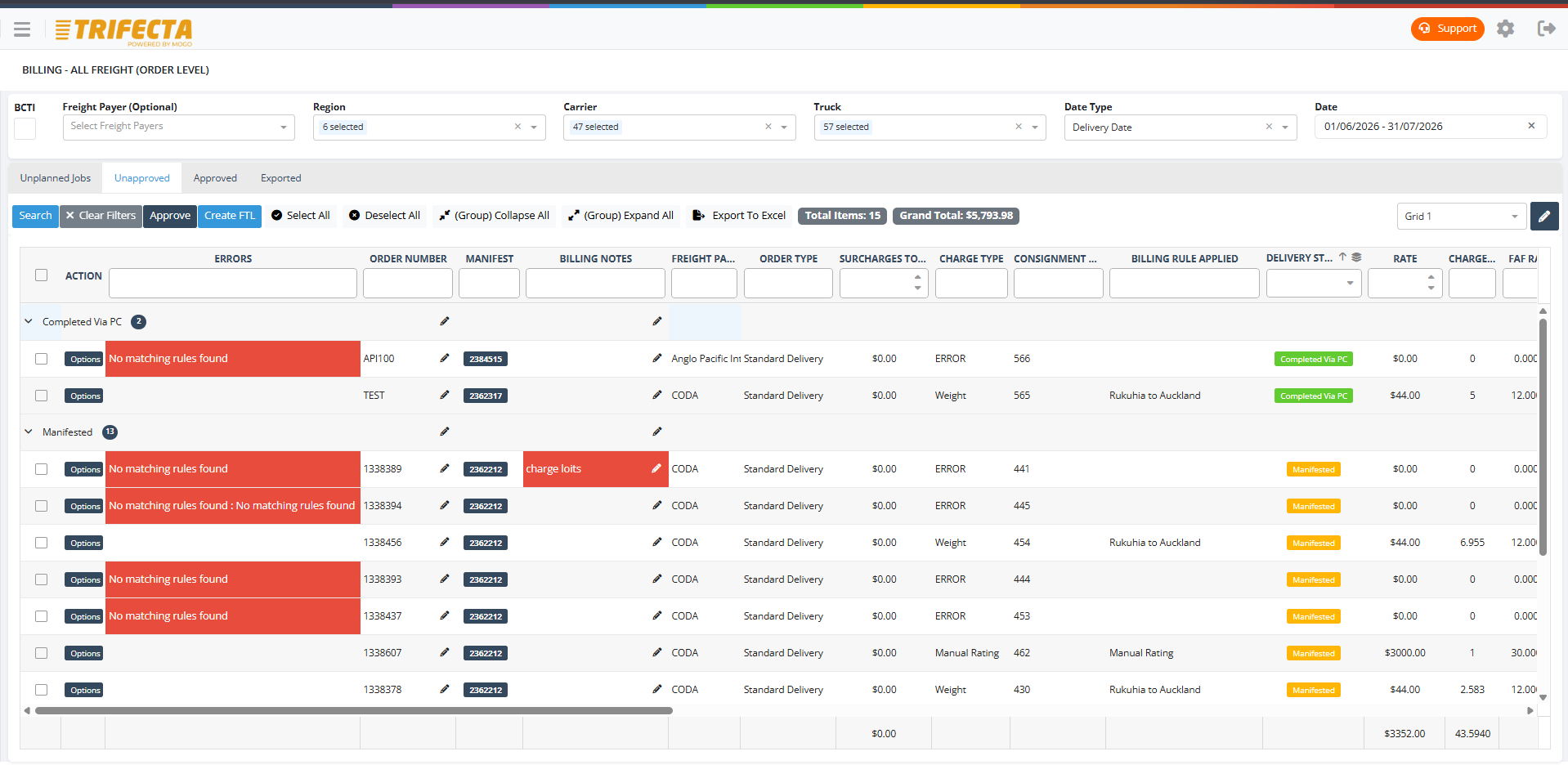
Every completed job carries its own rating detail, so invoices reflect what actually happened on the road — not what someone reconstructs from memory at month end.
From completed job to invoice
- Job Completed
- Rating Applied
- Exceptions Reviewed
- Invoice Prepared
- Sent to Accounting
Rating
Rating applied the moment the job is done
Completed jobs are rated automatically against the customer's rate card, so there's no manual re-entry of what was delivered and no waiting until month end to work it out.
- Automatic rating from customer rate cards
- Consistent rates applied across the fleet
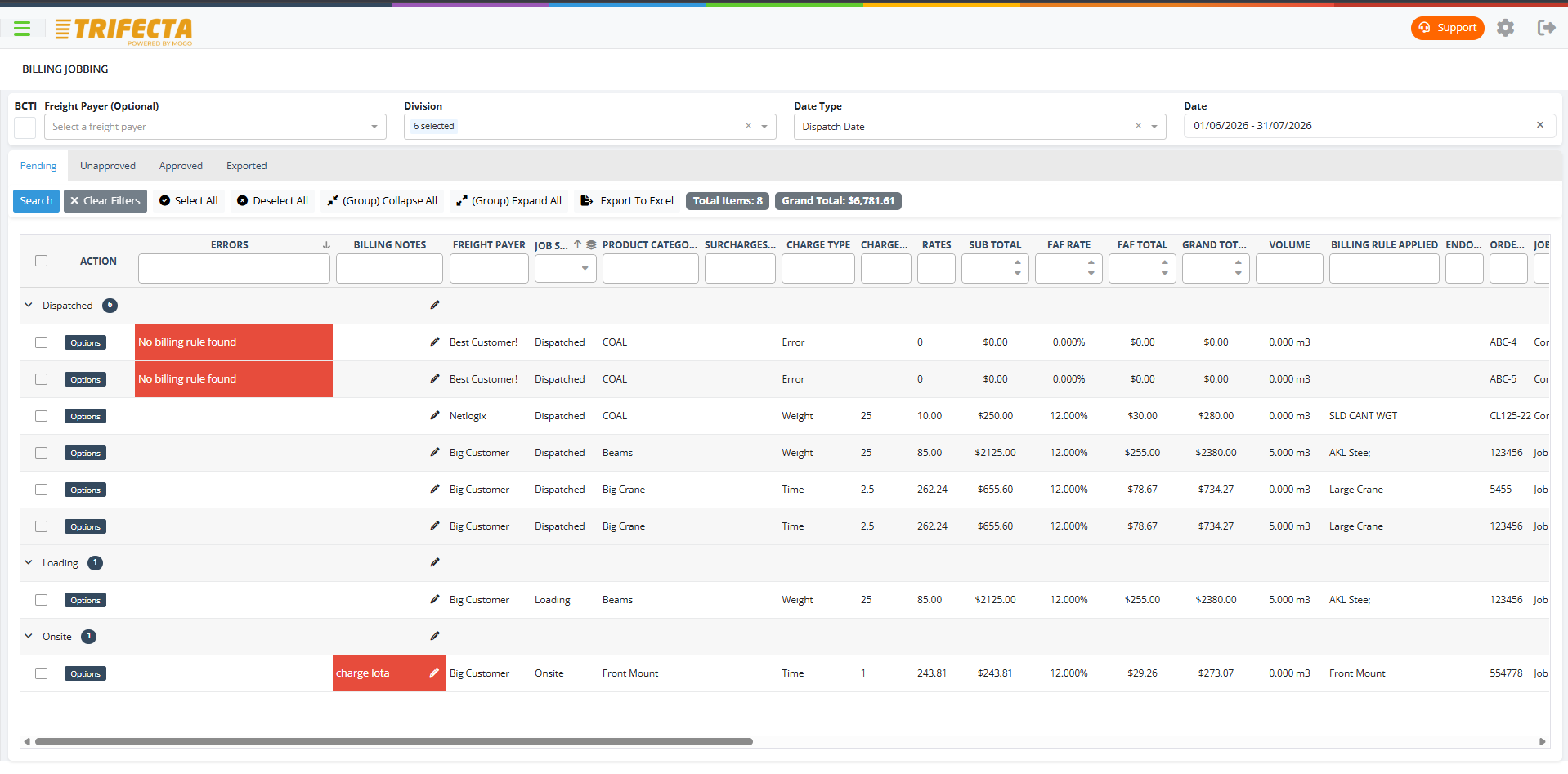
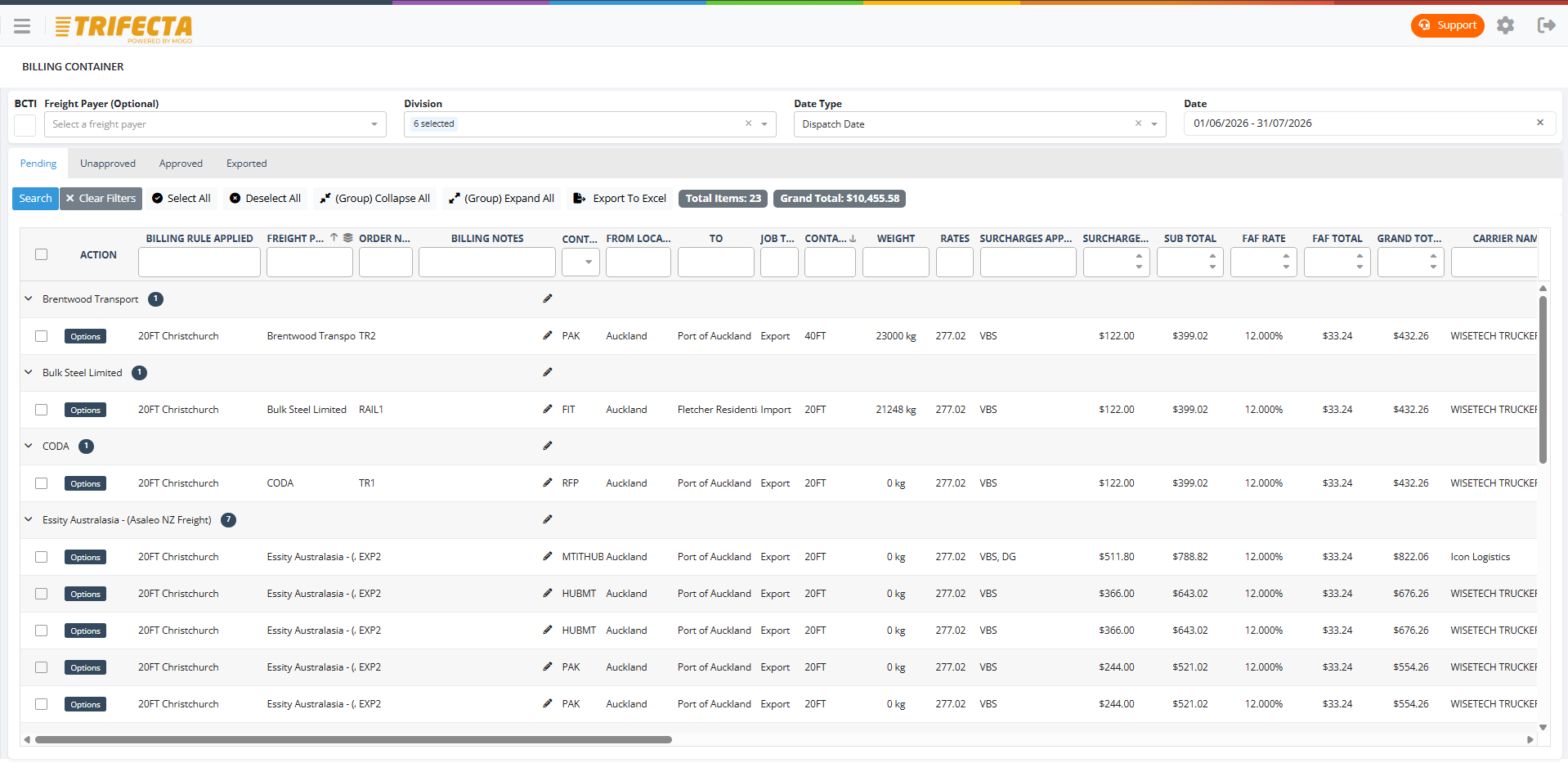
Charges and surcharges
Surcharges captured where the work happens
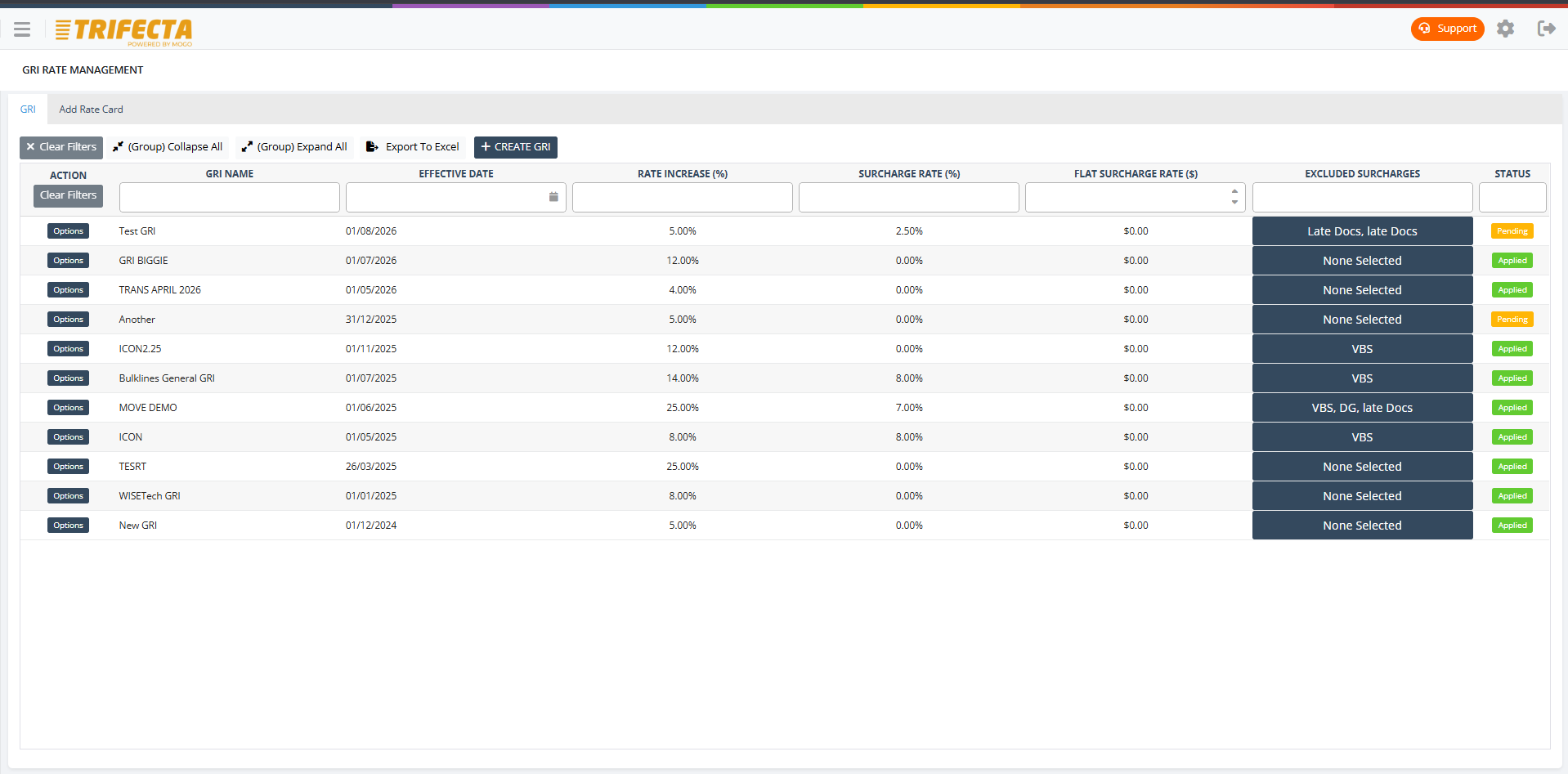
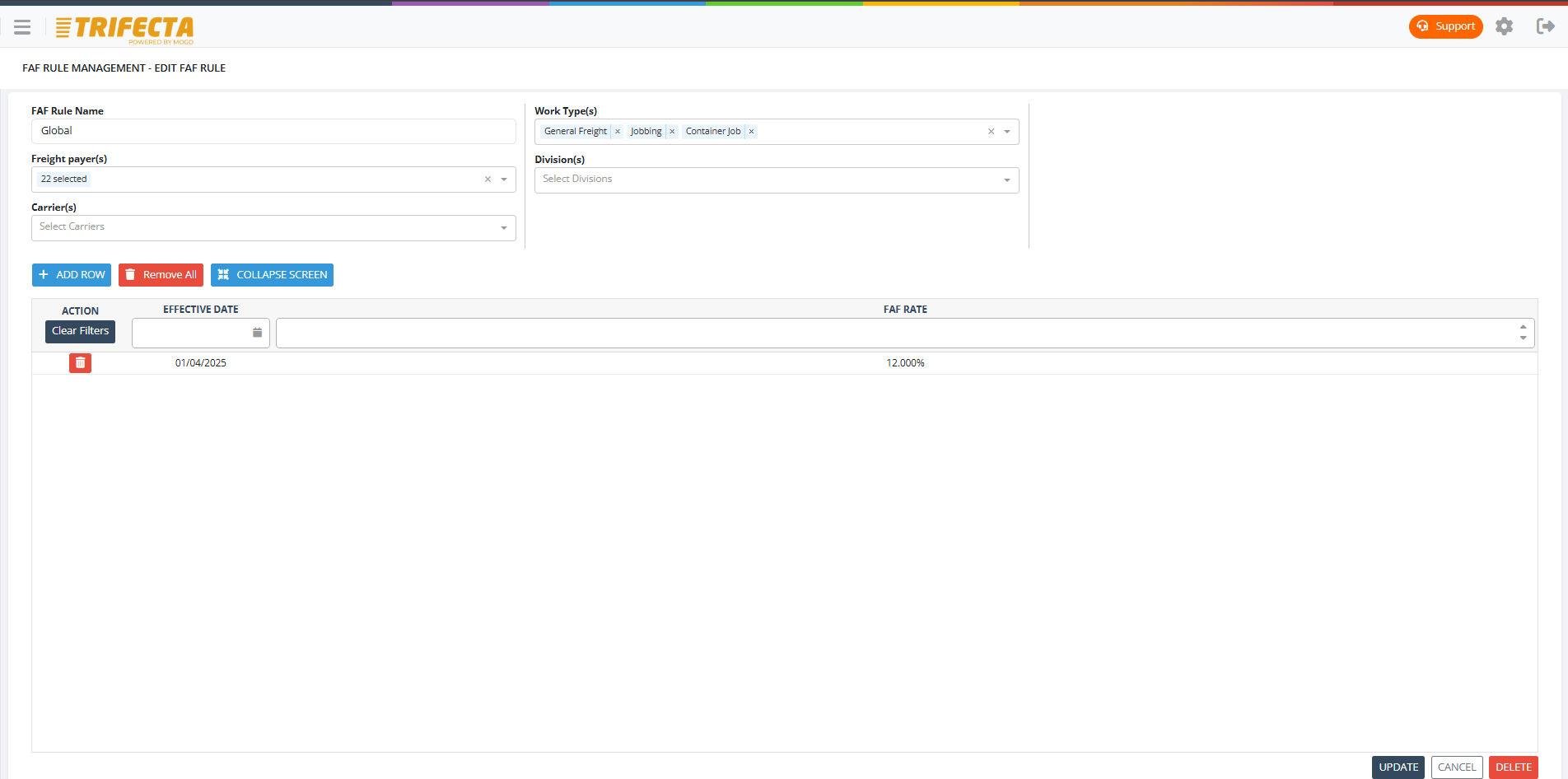
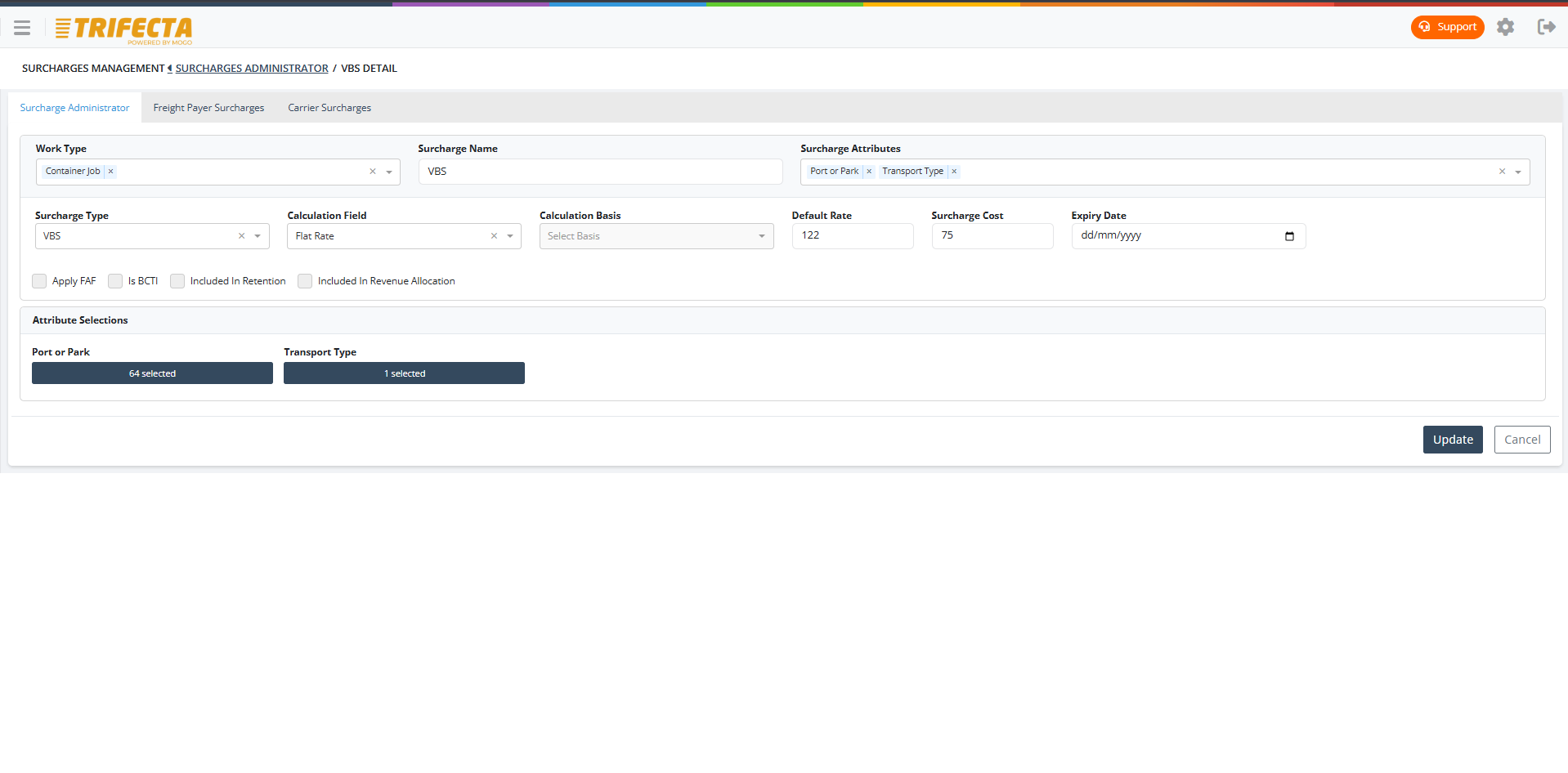
Fuel surcharges, wait time, extra stops, and other accessorials are captured on the job itself as they occur, rather than reconstructed from memory when the invoice run happens.
- Accessorials attached at the job
- Fuel surcharge rules applied automatically
Margin visibility
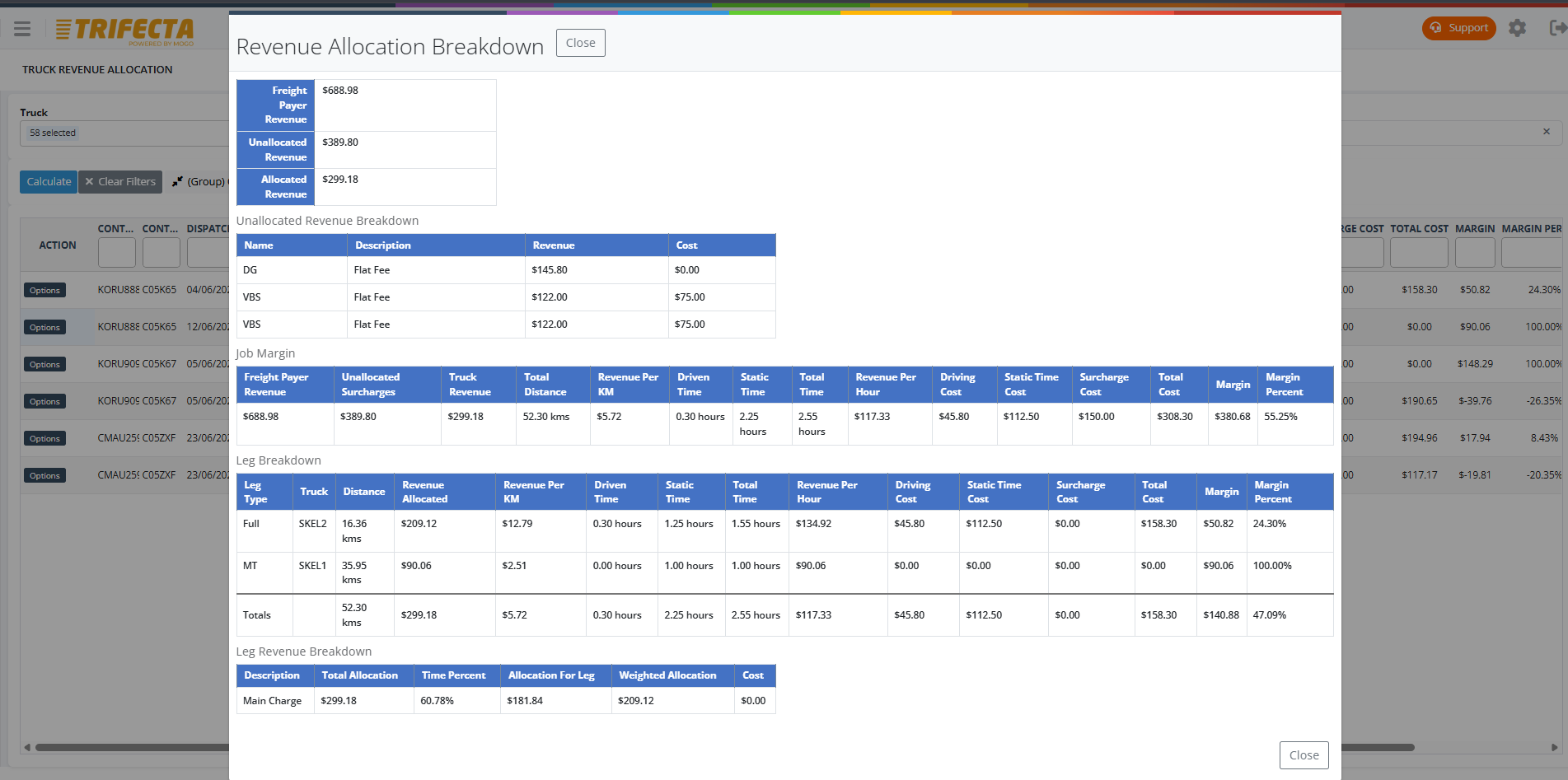
See margin before the invoice goes out
Compare what's billed to the customer against what's paid to the driver or subcontractor on the same job, so margin is visible before the invoice run rather than discovered afterwards.
Exceptions and audit trail
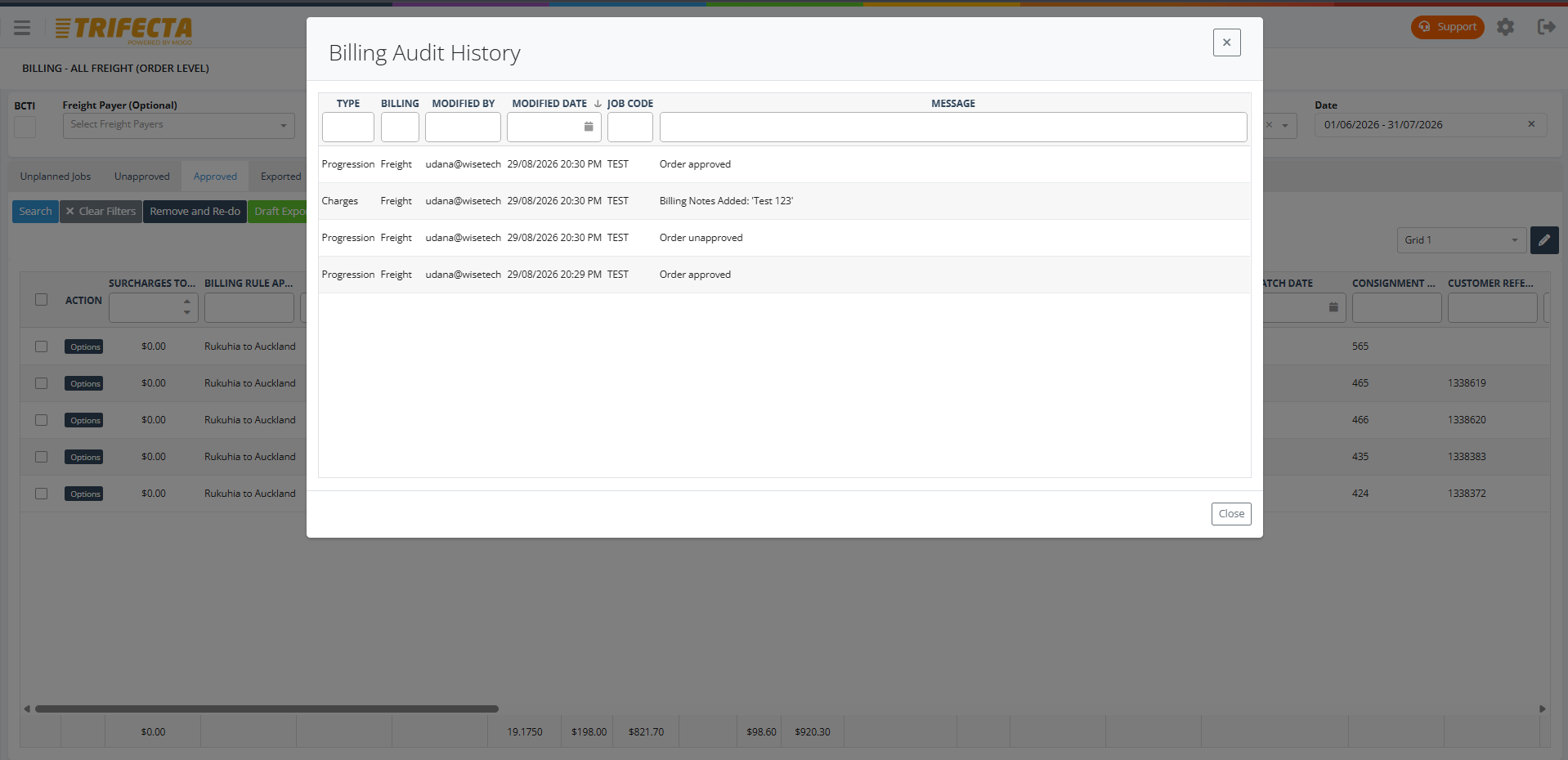
Nothing leaves the system unreviewed
Rating exceptions are held for review instead of flowing straight to invoice, and every change made to a job's billing is recorded against it.
- Exceptions held for review before invoicing
- Full audit trail on rating and billing changes
Driver and subcontractor payment
Subcontractor payment tied to completed work
Subcontractor rates and payment runs are drawn from the same completed job data used for customer billing, keeping what's paid out and what's billed out consistent with each other.
- Subcontractor rates linked to the job
- Payment calculated from completed work, not estimates
Accounting integration and reporting
Invoices flow through to accounting
Prepared invoices export to your accounting system, with billing reporting available by customer, run, or freight type whenever you need it.
Common questions
Does billing happen automatically when a job is completed?
Yes. Completed jobs are rated against the customer's rate card as they finish, with surcharges and accessorials already captured on the job.
Can TRIFECTA bill a different party from the consignee?
Yes. Freight payer, consignor, and consignee can be different accounts, and billing follows the freight payer configured on the job.
Does TRIFECTA handle subcontractor payment as well as customer billing?
Yes. Subcontractor payment is calculated from the same completed job data as customer billing, so both sides of the job stay consistent.
Can billing exceptions be reviewed before invoicing?
Yes. Rating exceptions are held for review rather than going straight to an invoice, with an audit trail on any changes made.
Works together with
General Freight
Run multi-drop general freight with connected job entry, scheduling, driver communication, proof of delivery, and billing-ready job data.
Learn moreReporting & Analytics
Operational and billing reports covering DIFOT, subcontractor compliance, demurrage and detention, margin, and delivery performance — filterable and exportable.
Learn moreCustomer Portal
Let customers book freight jobs, track status, and access PODs and documents themselves, with access configured per customer and product category.
Learn moreSee billing & rating in TRIFECTA.
Walk through your own workflows with our team using realistic demo data.